
Before you start
- You are named in Approvers on the CAPA and it is Awaiting Approver sign-off, or you are named in QAs and it is Authorise Actions Implementation or Awaiting QA sign-off.
- You know your Complere password.
Steps
Open the CAPA from CAPAs and read it and its Actions tab.
Select the status button at the top of the page. What the Escalate panel offers depends on the status:
-
Awaiting Approver sign-off (Approvers): Escalate status to Authorise Actions Implementation, or Escalate status back to Initiated.
-
Authorise Actions Implementation (QAs): Escalate status to Implement Actions, or back to Initiated or Awaiting Approver sign-off.
-
Awaiting QA sign-off (QAs), once every action is Closed: Escalate status to Awaiting Effectiveness Review and Escalate status to Closed, or back to Initiated, Awaiting Approver sign-off, Authorise Actions Implementation or Implement Actions.
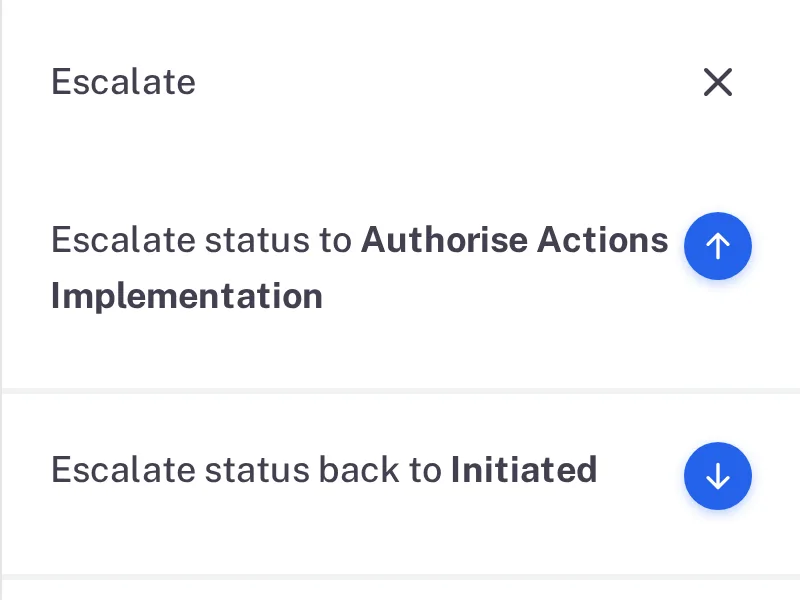
Step 2. The Approver's Escalate panel: Escalate status to Authorise Actions Implementation and back to Initiated 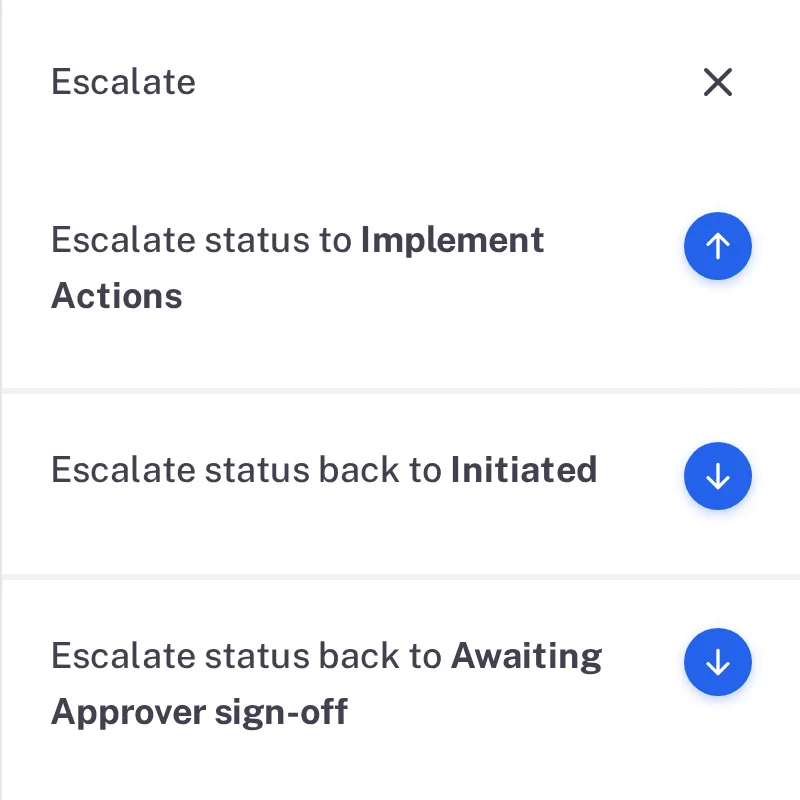
Step 2. The QA's Escalate panel in Authorise Actions Implementation: Escalate status to Implement Actions and two moves back 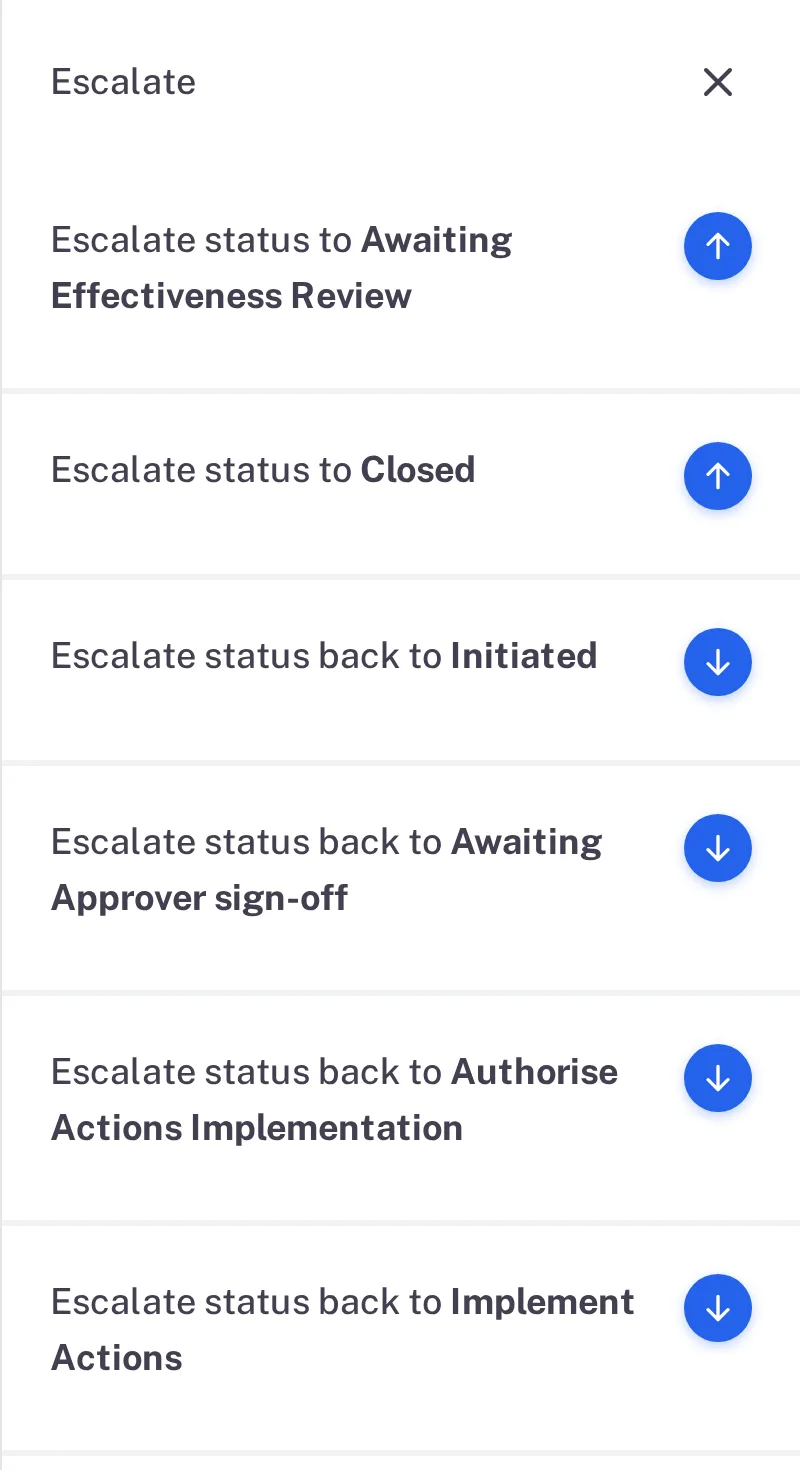
Step 2. The QA's Escalate panel in Awaiting QA sign-off: Escalate status to Awaiting Effectiveness Review, to Closed, and four moves back -
Select the arrow beside the move on: Escalate status to Authorise Actions Implementation, Escalate status to Implement Actions or Escalate status to Awaiting Effectiveness Review. Type your password, and a Remark if you want one, then select Sign. A move back is different: the Approver's move back to Initiated opens "Status reject to Initiated", which asks for a Reason.
Result
| You signed in | The CAPA moves to | What happens next |
|---|---|---|
| Awaiting Approver sign-off | Authorise Actions Implementation | The QAs authorise the work. |
| Authorise Actions Implementation | Implement Actions | The actions start In Progress; see Close a CAPA action. |
| Awaiting QA sign-off | Awaiting Effectiveness Review | A Coordinator records the effectiveness review; see Record the effectiveness review of a CAPA. |
What gets recorded
Each entry appears on the CAPA's Audit Trail tab, followed by your remark if you wrote one.
What the audit trail records
An Approver signed.
- Action Type
- Change Status
- Username
- Your username
- Date Created
- Date and time of the action
- Activity
- "The CAPA has been signed by the Approvers and its status has been updated from Awaiting Approver sign-off to Authorise Actions Implementation"
A QA authorised the actions.
- Action Type
- Change Status
- Username
- Your username
- Date Created
- Date and time of the action
- Activity
- "The CAPA has been signed by the QAs and its status has been updated from Authorise Actions Implementation to Implement Actions"
A QA signed once the actions were closed.
- Action Type
- Change Status
- Username
- Your username
- Date Created
- Date and time of the action
- Activity
- "The CAPA has been signed by the QAs and its status has been updated from Awaiting QA sign-off to Awaiting Effectiveness Review"
If something is different
The status button is greyed out.
You are not named in the role that signs in this status. Hover over the button: its tooltip names who can move the CAPA.