
Before you start
- The risk is Active and scored. See Add a risk to a risk assessment.
- You are named in Responsible Persons on the assessment.
- You know your Complere password.
Steps
On the assessment's Risk Assessment tab, select Change Status in the risk's row. The panel Response Strategy opens with the risk's details and scores.
Under Response Strategy, choose Accept ("Keep risk as-is with justification + approval.") and write why in Acceptance justification. Below, Closure Validation shows "Ready to close".
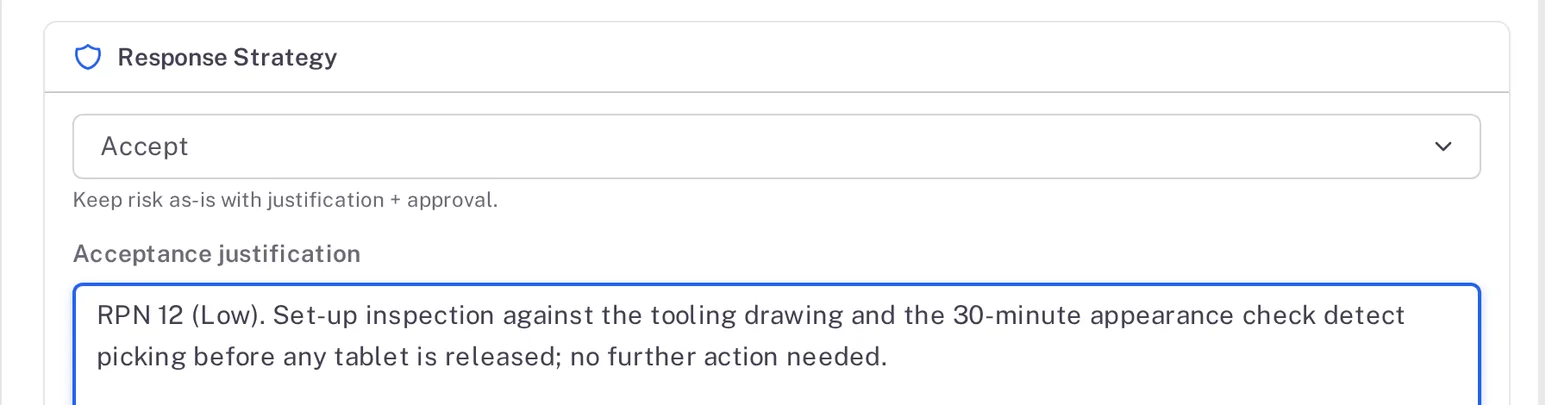
Step 2. The Response Strategy card with Accept chosen and an acceptance justification written Select Approve And Close. The form reads, for example, "FMEA-7-1 is closed and its residual risk is recorded as accepted (QA approval). If it is the last open item, the assessment can move to its next status." Type your password and a Reason, which is required, then select Sign.
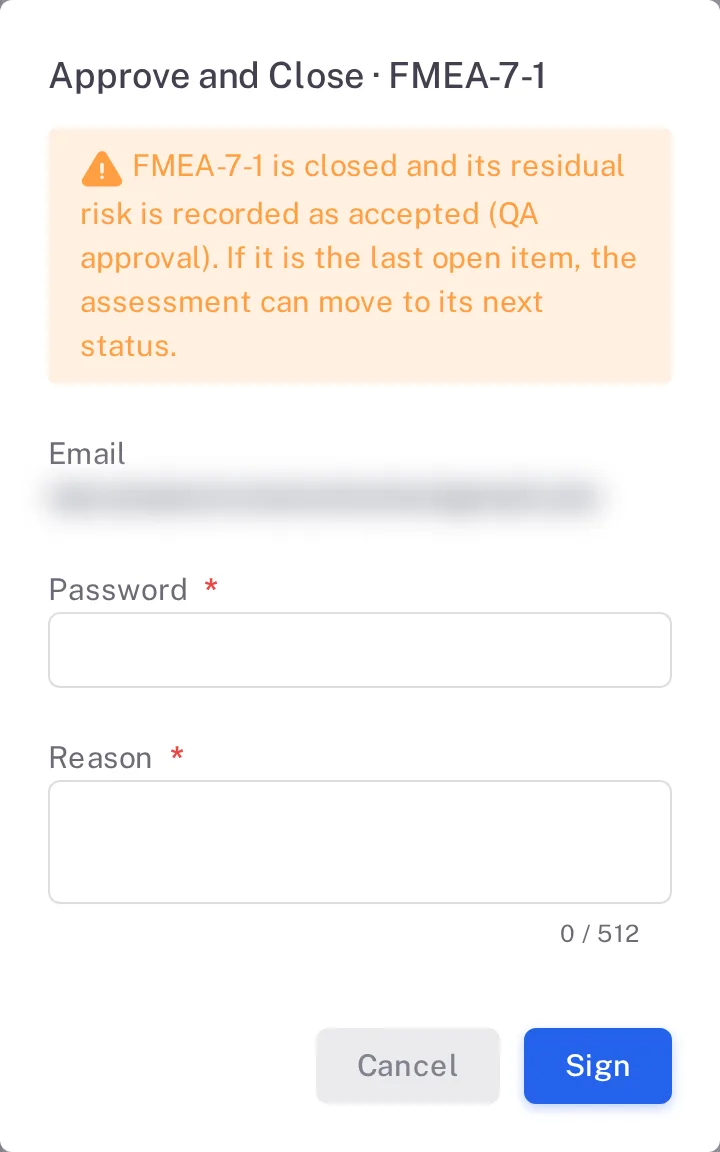
Step 3. The Approve and Close form with its explanation, Email, Password and the required Reason
Result
The risk is Closed, with the response Accept. When it was the last open risk, the assessment moves to Under Signing by Approver on its own, and the header shows, for example, "1 of 1 risks closed (100%)".
Next: the Approvers and then the QAs sign the assessment, see Sign a risk assessment as Approver or QA.
What gets recorded
Each entry appears on the risk assessment's Audit Trail tab.
What the audit trail records
Your response was saved.
- Action Type
- Risk Item Updated
- Username
- Your username
- Date Created
- Date and time of the action
- Activity
- "Risk Assessment Risk Item 'FMEA-7-1' updated", with the risk's own ID.
You signed Approve And Close.
- Action Type
- Risk item closed
- Username
- Your username
- Date Created
- Date and time of the action
- Activity
- "Risk Assessment Risk Item 'FMEA-7-1' status changed from Active to Closed", with the risk's own ID, followed by your reason.
The risk you closed was the last open one, so the assessment moved on.
- Action Type
- Change Status
- Username
- Your username
- Date Created
- Date and time of the action
- Activity
- "Risk Assessment status has been updated from Under Assessment to Under Signing by Approver, as all risk items with status Closed have been successfully …", in your name.
If something is different
The assessment stays Under Assessment.
Another risk on the assessment is not Closed yet. The header counts the closed risks.