
Before you start
- You can open the document: see Open, read or download a document.
Steps
Open the document and select Versions in the menu on the left.
Read the table. Each row is one version in one status, with Views, Download (how many times it was downloaded) and Saved By.

Step 2. The Versions tab of SOP-001 as seen by someone not named on it: 2.0 Published and 1.0 Published & Substituted, each with the Download, View and Document Summarizer buttons To read an earlier version, select View (the magnifier icon) on its row. If you do not see the buttons, scroll the table sideways. The version opens in a window over the page. Close it with the X at its top right.
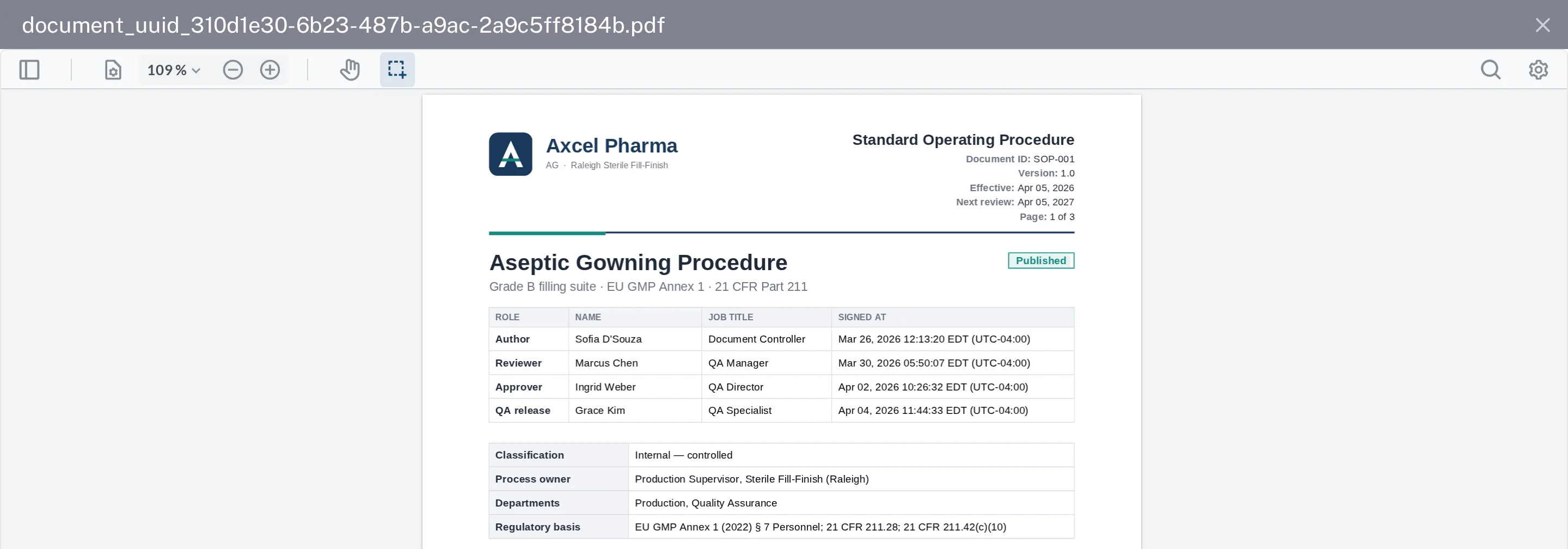
Step 3. Version 1.0 of SOP-001 open in the window, with its own version number and effective date in the document header
Result
You have read the version you need. Published & Substituted means a newer version replaced it when that version was published.
If something is different
You see only the published versions.
A Regular User who is not named on the document sees only its published versions. A Regular User named on it also sees its drafts and the versions being signed. See I can't see a document.