
Before you start
- You can sign in to Complere — see Sign in to Complere.
- You see the modules your company uses; they are enabled for your company by Complere.
How it works
One system, one kind of record per module
Complere is a quality management system. Each module keeps one kind of quality record, takes it through its own statuses and signatures, and keeps a history of what was done to it. Some modules have a different name in the menu than on this site:
| On this site | In the Complere menu | What it keeps |
|---|---|---|
| Platform | Home and Complere Settings | Your Home page, and the users, groups, labels and settings the modules share |
| Documents | Document Control | Controlled documents and document templates |
| Training | Learning Management System | Trainings and their materials |
| Events | Quality Event Management | Events, from first record to closure |
| CAPA | CAPAs | Corrective and preventive actions, their actions and effectiveness checks |
| Change Control | Controlled Change | Change requests and the changes they authorise |
| Audits | Audits | Audits and audit findings |
| Risk Assessments | Risk Assessments | Risk assessments made from a risk assessment template |
| Suppliers | Suppliers | Supplier records, with their sites and materials |
Your menu and your Home page
When you sign in, Complere opens your Home page. It lists your open records from several modules in one place, for example change requests, audits and audit findings — see How your Home page works.
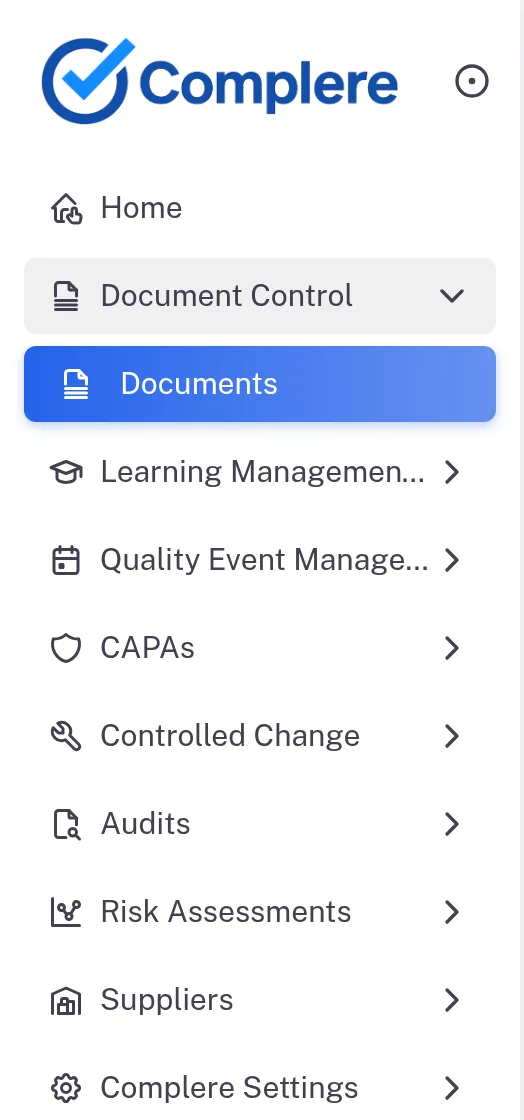
The main menu lists Home, the modules your company uses, and Complere Settings. Select a module to see its pages: for example, Document Control opens Documents. People whose role allows more see more pages under the same entry, for example Document Templates, Settings & Master and Audit Trail for an administrator.
Records open on their own page, with tabs
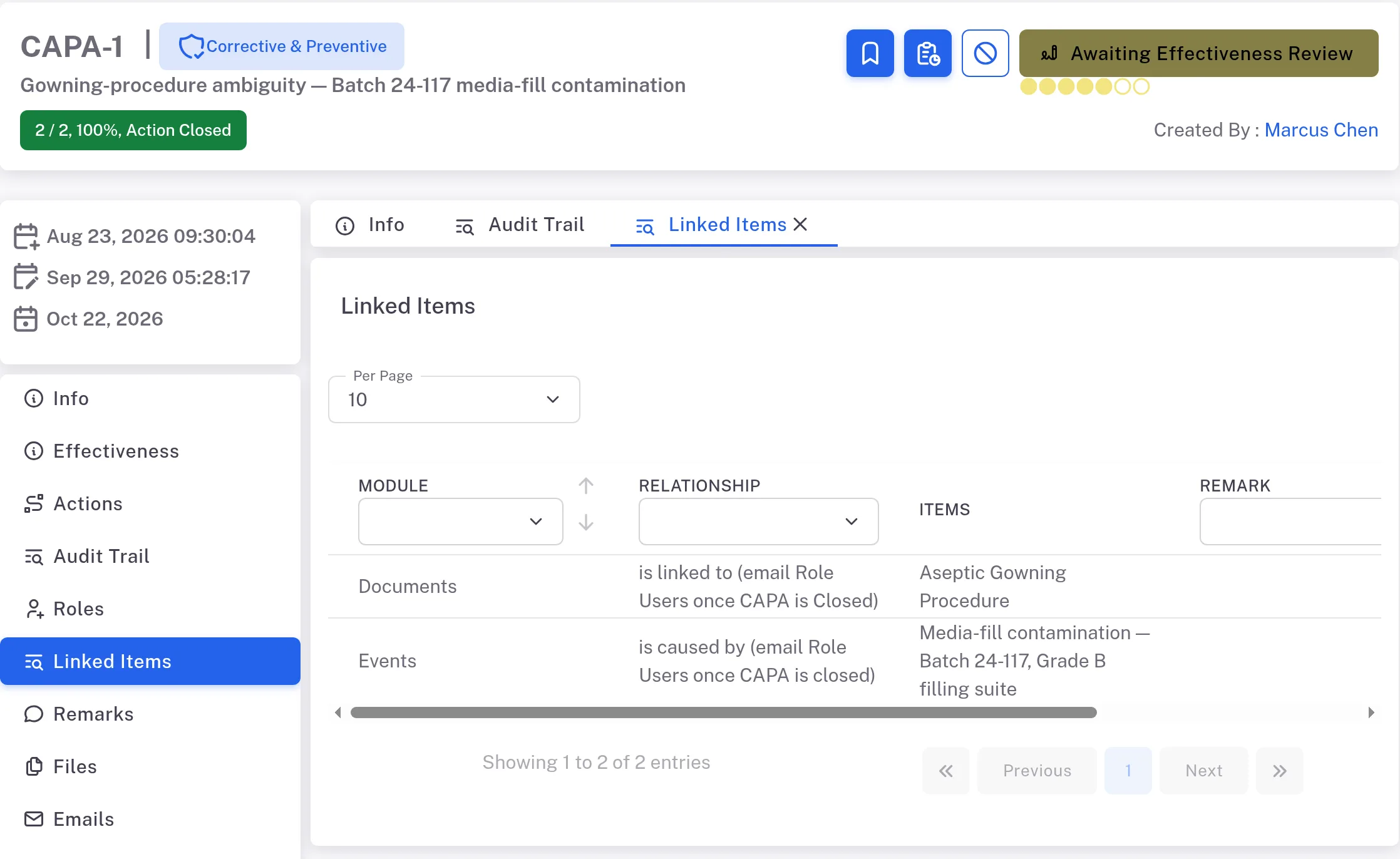
Open a module's list and select a record: it opens on its own page. Find a record shows how to find a record in a list, and Bookmark a record how to keep the ones you return to as bookmarks. Its tabs are listed down the left side; the tabs you open stay at the top, next to Info. Two tabs work the same way across modules:
- Linked Items — the records this record is linked to in other modules.
- Audit Trail — the record's own history.
Linked records tie the modules together
Links are added in a record's form: a change request's form, for example, has a Linked Items step where you choose a Module, a Relationship and the Items (a Remark is optional). A record's Linked Items tab lists its links, for example a CAPA that "is linked to" a document and "is caused by" an event.
Records in Document Control, Quality Event Management, CAPAs, Controlled Change, Audits and Risk Assessments have this tab. A supplier has no Linked Items tab: its related records have their own tabs, such as Documents, Events, Audits and SCARs.
Documents become training
In Learning Management System, a training's Training Materials can be Documents from Document Control, Assessments, Tasks and External Materials.
Shared settings live in Complere Settings
Complere Settings keeps the parts the modules share, for example Users, Groups, Labels and General Settings. You see the pages your role allows. A Regular User sees Users, Groups, Labels, Contacts, Products, Departments, Locations, Job Descriptions and Deleted Items; an Administrator also sees Email Templates, General Settings, SSO Configuration and Audit Trail.
Result
You know which module keeps which record, and what ties the modules together:
- One set of people. Users and groups are kept in Complere Settings. The people you can name on a record come from its Groups; roles decide what they may do.
- One place for your work. Your Home page lists your open records from several modules.
- Linked records. Records point to related records in other modules on their Linked Items tab, and documents become training through a training's Training Materials.
- Signatures and history. Some actions need your electronic signature (see What an electronic signature means), and each record keeps its own Audit Trail.
Next: see what your Home page shows — How your Home page works.
If something is different
A record has no Linked Items tab.
Trainings and suppliers do not have one. A supplier's related records have their own tabs, such as Documents, Events, Audits and SCARs.